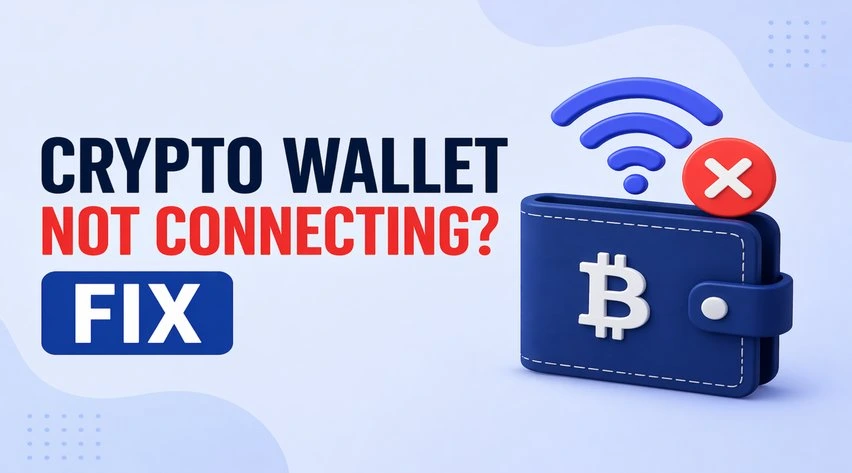

There are a few things that are not only frustrating but can also lead to loss of funds when you do not fix them instantly. One such scenario is when you click the “Connect Wallet” button, and nothing happens. If you are not able to connect your wallet the moment you wanted to, it could lead to failed transactions. The reasons could be many. Hence, we are here to take a look at different scenarios where your crypto wallet won’t connect and the things that you can do to get rid of those issues at the earliest.No matter which wallet you are using, MetaMask, Coinbase Wallet, or Trust Wallet, any wallet can have connection issues. However, instead of worrying, you should try to recognize the problem and then resolve the problem accordingly.
What to do when the wallet is not connecting to dApps?
This is one of the most common issues that users face with their wallets, especially when they are trying to connect to dApps such as Uniswap or an NFT marketplace. The main reason behind this problem could be that the wallet has not been authorized properly, the session has expired, or glitches with WalletConnect. To fix this problem, you can:
- Try refreshing the dApps page and connecting again.
- You can also try to disconnect the wallet manually and reconnect it.
- If possible, try clearing the previous sessions in the wallet settings.
- Use a different method to connect to the wallet, i.e., using a browser or QR code.
Tip: Make sure that you always confirm the connection request present inside your wallet pop-up. If you miss out on this step, it will lead to wallet connection issues.
Wallet not connecting (Wrong network selected)
At times, the wallet may not connect when the wrong blockchain network is selected. In this scenario, the wallet will not connect properly to apps built on other blockchains. There is a simple way to detect this problem i.e. when you see the dApps showing “Wrong Network” error, the tokens are not visible, and the transaction fails instantly. To fix this issue, you can:
- You first have to open your wallet.
- Now, switch to the correct network (which could be Ethereum, Polygon, etc.)
- After that, you must reload the dApp.
Browser extension-related issues
The “wallet not connecting” issue can also take place due to a problem with the browser extension-related issues. When the wallet extension is outdated, there is a conflict between the browser cache, or the extension is disabled/corrupted. In this scenario, you can try to fix the issue with the following:
- Try to update your wallet extension.
- Go to the browser menu and clear the browser cache/cookies.
- You may also disable other conflicting extensions.
- Besides that, you should also restart your browser or try to use a different one.
In addition to that, we also recommend that you restart your browser or try using a different one.
Fix: Mobile Wallet Not Connecting
Android and iOS mobile users often face issues while connecting their wallets. This problem generally happens due to the in-app browser bugs, when the app is not updated, or poor WalletConnect synchronization. However, you can fix this issue by taking the following steps:
- Please ensure that you update the mobile wallet app to its latest version.
- You may also use the in-built dApp browser (if it is available).
- Try reconnecting to the app using the “WalletConnect” tool.
- If nothing helps, restart the phone.
RPC Errors & Network Configuration Problems: Quick fix
The wallet not connecting error may also show up due to RPC errors & network configuration problems. If you are also facing the same problem, you can take the following steps:
- You may try to switch to a different RPC URL.
- Besides that, you may also remove and re-add the network.
- If that doesn’t work, you can use the default network settings.
Quick troubleshooting checklist if the wallet is not connecting
At times, advanced fixes don’t work, but the simple ones do. In this scenario, what you can do is take the following steps:
- If your internet connection is unstable, try to fix it at the earliest.
- Check your wallet version and ensure that it is updated to its latest version.
- Besides that, you should check if the wallet permission is correct.
- Check the server status of the dApp itself.
- Do not connect your wallet to unknown or suspicious websites.
- Never ever share your private keys or seed phrases with others.
- Don’t install wallet extensions from unknown sources.
Concluding thoughts:
A crypto wallet not connecting is one of the most frustrating issues that you might have. Most of these problems usually take place due to a mismatch of networks, outdated software, or glitches with the browser. However, there is definitely a working solution to this problem. You will be able to take the apt action only when you are able to analyze the problem and its cause. While performing the troubleshooting steps, it is important that you do it safely to avoid risking your assets.