
When you lose access to your crypto wallet, it can be a really stressful situation, especially when you do not have enough knowledge on how to restore your crypto wallet. However, you should not worry because the method to recover your wallet is really a very easy and straightforward process. Since your wallet stores highly sensitive information, therefore, it is important for you to take into account the safety of your recovery seed phrase. If you have the correct seed phrase with you, there is nothing that could stop you from recovering your wallet with complete safety. Besides that, we shall also take a look at the way to handle some common issues, and protecting your funds.
How to recover a Trezor wallet using the recovery seed?
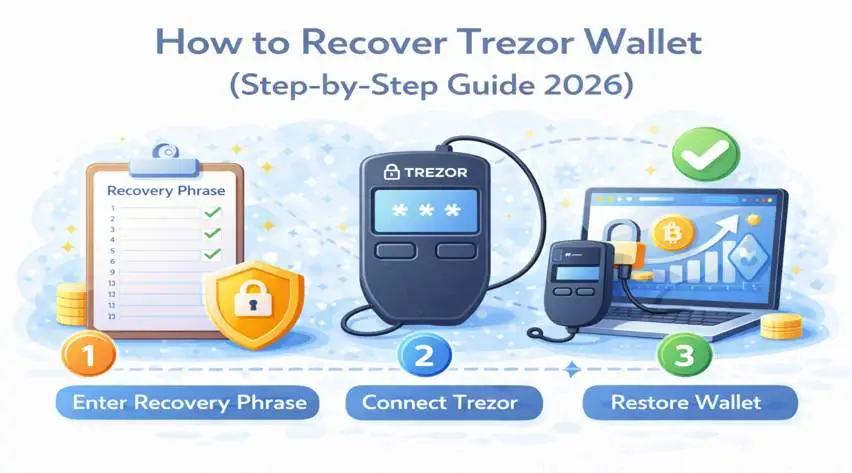
This is one of the best ways to recover your wallet and the most straightforward one. To begin the process, you should make sure that you have the correct 12, 18, or 24-word phrase with you. This phrase is provided to you when you set up your wallet for the first time. If you have it, let’s start the process:
- First of all, you must connect your Trezor device to your PC.
- Now, open the Trezor suite app on the connected PC.
- In the suite, select the “Recover Wallet” option.
- After entering the recovery seed phrase, your wallet will be restored.
- Soon after that, you will be able to set up a new security PIN.
As soon as you have completed the wallet restoration, you can view all your account balances and transaction details. Always make sure that you enter the seed phrase in the correct order and do not share it with anyone.
Is it possible to recover a Trezor wallet without a seed phrase?
If you have been wondering how to recover a Trezor wallet without the seed phrase, let me be honest. There is no way to do so. Yes, you cannot recover your wallet without the seed phrase. This is a very strong principle of decentralized security. Since the wallet does not store your private keys or seed phrase on any server, this means you cannot recover your wallet account without it.
- Besides that, no customer support can help you retrieve it.
- The wallet recovery page does not come with a “forgot password” option.
- The wallet currently depends on whether you have kept a backup or not.
While keeping a backup of your seed phrase may be inconvenient, this rule has been made to ensure that only you have access to your funds. The short answer is that if your seed phrase is lost, nobody can help you recover your wallet.
What to do if you lose your Trezor recovery seed?
Losing your recovery seed phrase means that your wallet recovery options are limited. However, there are still a few steps you can take. Here are a few things you can try in this scenario:
- First of all, you must check for secure storage locations. Think of a few places where you may have kept the physical backups of the wallet including paper notes or the metal seed storage.
- Besides that, you can also check other devices in your home and see if you have accessed your wallet on them. If the wallet access is available, you must immediately transfer your funds to a new wallet with a seed phrase.
- You may also create a new backup of the device by resetting it and generating a new seed phrase to use it once again.
If you do not have access to your device, you won’t be able to access your funds ever. At this stage, it is important that you create a proper backup of the seed phrase.
How to restore Trezor Wallet on a new device?
In case your device is lost or stolen, or it gets damaged, you may restore your wallet on a new device:
- First of all, purchase a new Trezor device from authentic sources.
- After that, you must connect your wallet to your PC and choose the “recover wallet” option during the setup.
- Now, enter the seed phrase of your previous or existing wallet.
- Further, you must set up a new PIN.
- After that, you may choose an additional passphrase to enhance the security.
At this stage, your wallet will be restored on your device, giving you access to the funds that were available on your previous wallet. This process makes sure that you continue to use your wallet just like before.
How to protect your Trezor wallet backup from hackers?
The recovery seed of your wallet is one of the most sensitive pieces of information in your crypto setup. Hence, protecting it from hackers is highly critical. Here are the best practices you can consider for safeguarding your information:
- Offline seed phrase backup: Please make sure that you do not save your seed phrase digitally. Do not take any screenshots, save it in emails, or create a cloud storage.)
- Create multiple backups: Ensure that you keep a few copies of the seed phrase in separate secure locations.
- Use metal backups: Metal backups are fireproof and waterproof, and they are a great storage option when it comes to durability.
- Detect phishing scams: Do not enter your seed phrase on unknown websites or apps, as they can be something related to phishing scams.
Final words:
This guide clearly explains how you can recover your wallet account in different scenarios. Whether it is about wallet recovery with the seed phrase, without it, or restoring your existing wallet on a new device. After reading the post, you must have understood that it is not possible to restore your wallet without the seed phrase. This is a core security aspect that makes hardware wallets like Trezor a reliable option.